Introducing the Live Updates API
This article is your starting point for learning about the problems the Live Updates API was designed to solve, helping you to decide whether it could help you in your website project.
Written By Luke Wakefield
Last updated 5 months ago
Live Updates - An Introduction
The SiteBuilder Live Updates API helps you quickly build interactive, dynamic website layouts for Siteglide which live-update parts of their content when the user interacts with them.
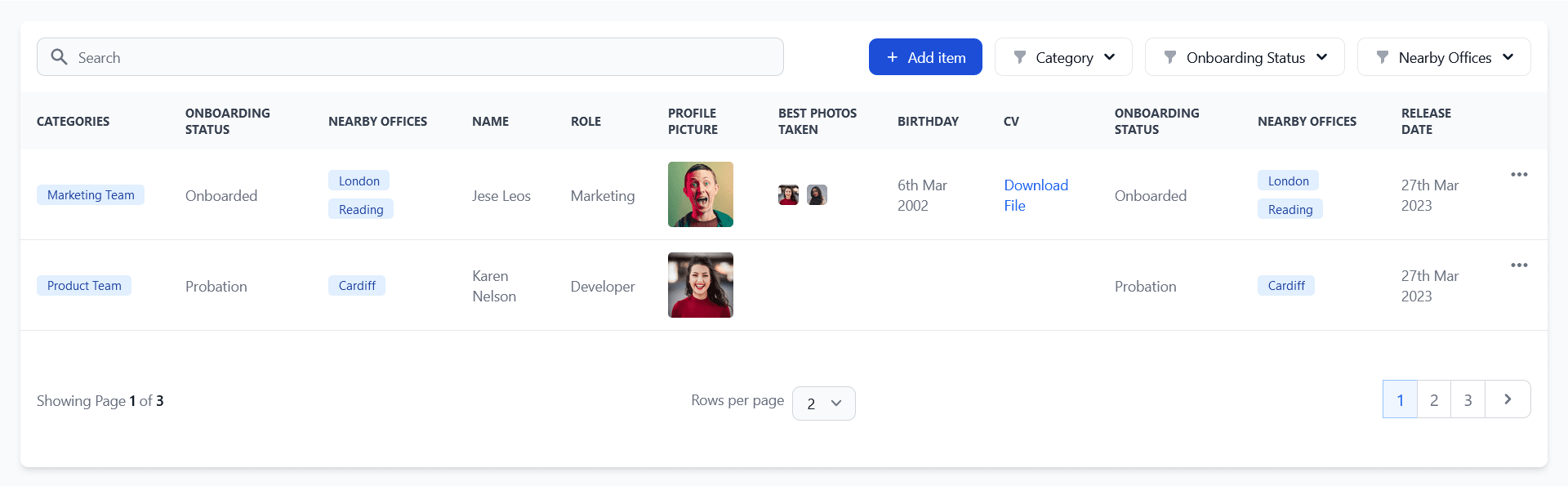
This allows you to use the convenience of server-side rendering with performance more akin to a JavaScript framework.
Pre-Requisites
The JavaScript and endpoints for the Live Updates API are provided in both the SiteBuilder and Studio modules from Siteglide. If you have the Studio Module installed, there is no longer a need to install the SiteBuilder module in order to use these features.
Older sites which do not yet use Studio, can continue to use the SiteBuilder module.
How it works
If you normally wanted to create a section of the page where the user can interact with filters, sorts and searches, you’d need to either:
a) Add links which refresh the page with different query parameters in the URL. Unfortunately this is slow as the entire page template and all sections need to refresh on every interaction. Or,
b) Use JavaScript fetch requests and custom API endpoint pages to deliver either new HTML or JSON data back to the page. This involves writing logic for what kind of data is allowed as well as handling manipulation of that data according to what the user needs.
Instead, the Live Updates API provides a single ready-built API endpoint Page to make the build process quicker. Any webapp layout, module layout, or include can be re-rendered with completely new data when the user interacts with it.
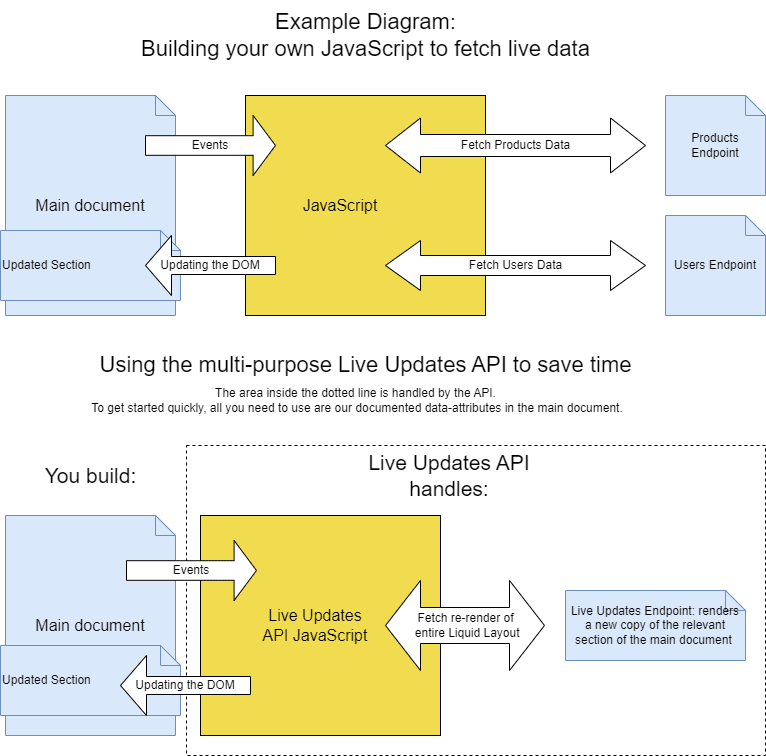
To change the data rendered in a Live Updates section, the developer adds data-attributes to define which areas of the page should re-render and which HTML form elements should allow user-interaction. Automatic event listeners are added to these form controls and change events initiate a new request to the endpoint, with new query parameters based on the names and values of the form controls. For example, if the user wants to filter products by price, we can add a parameter to the request for the currency field we are filtering, and a second and third parameter to define the minimum and maximum price we wish the filter by. The endpoint will return the same list of products back, but filtered by the new criteria. It will automatically update the page with the new HTML.
See the URL Parameters Section in the reference article for more details on choosing parameters to modify your content.
Thinking about Security
When using a single page to deliver multiple types of content, how do we prevent malicious users requesting content they should not have access to?
When using the API, you'll get the server to generate a public key which contains encrypted information about the exact Liquid layout you are intending to use and live-update. This includes for example:
The path of the Liquid Partial
The WebApp or Module ID
The user ID which might be used to filter the items based on ownership.
The same server handles the requests and it will only accept valid public keys from which it can extract that same information. That means sensitive parameters which are stored inside the public key cannot be simply modified by a user who does not have direct access to the server.
Secure Zones
PlatformOS cookies and user sessions are preserved by the requests, so secure zones will apply as normal within the Liquid files which are re-rendered. You will need to write code which respects secure zones logic as you normally would.
Mutating/ Editing Data
Note that this API currently uses GET requests only to fetch/read HTML and/or data. While it is possible for the agency developer to write server-side Liquid on the rendered layout which will write to the database, the API does not provide any of its own functionality for writing to the database (if you do need this kind of functionality- see Siteglide's WebApp and Module Forms). This is a very similar situation to visiting Siteglide pages via the browser.
Specialised Use Cases
Some parameters that we consider non-sensitive normally, like those which might be used to filter data could in some use cases be something you do not wish users to be able to modify. In this case, you can use our Enforcing Filters Guide to solve this problem.
See the collection and creator_id URL parameters for security considerations regarding JSON data and filtering items by their owner respectively.
Was this helpful?
Still need help? Ask the team