Add an External Subdomain
Written By Luke Wakefield
Last updated About 1 month ago
If you manage your DNS elsewhere and only want to host a subdomain on Siteglide follow these steps.
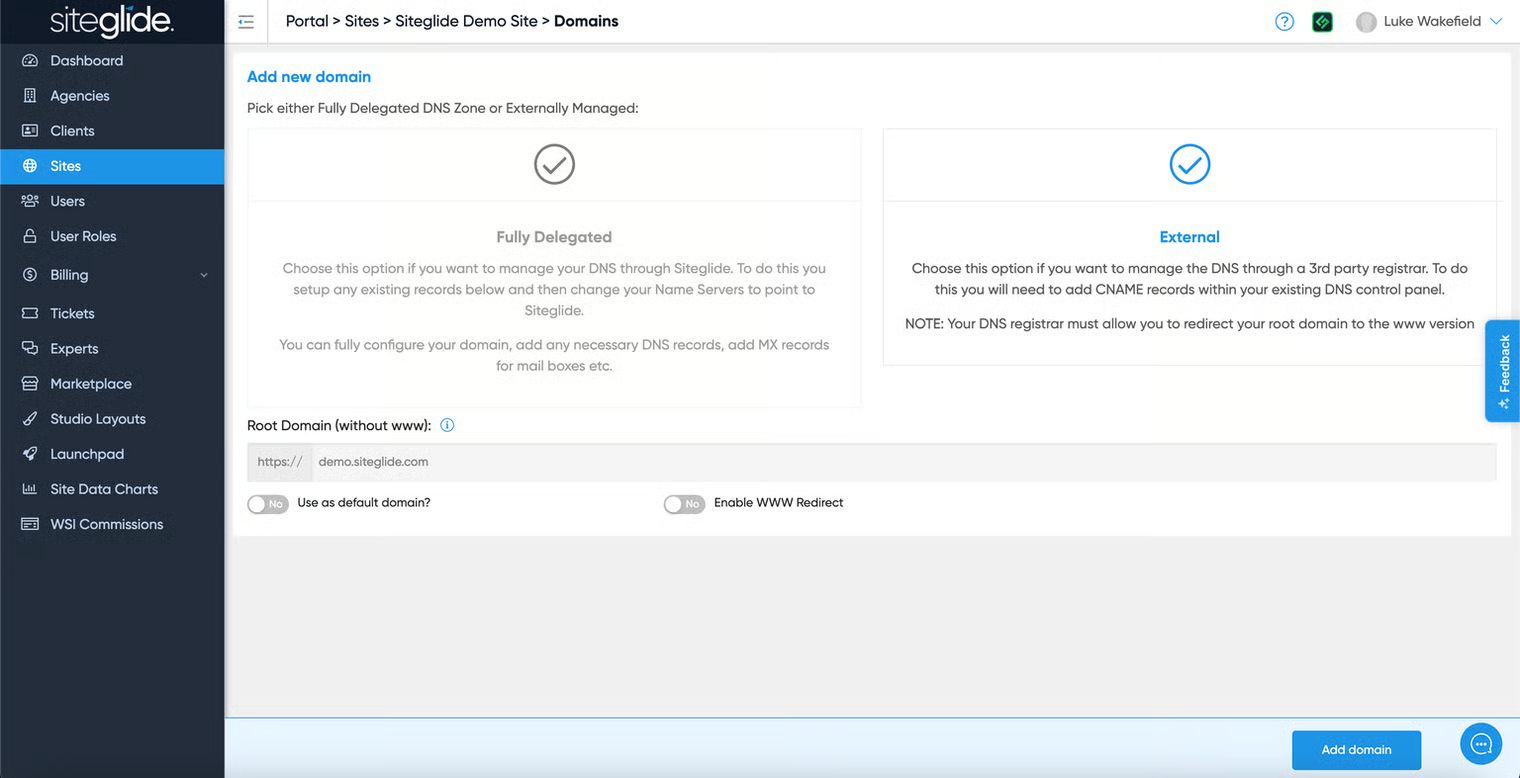
Step 1: Add the subdomain
Simply type in the subdomain and ensure you do NOT select ‘Enable WWW redirect’:
Step 2: Add DNS Records
You need to add 2 records to your DNS control panel:
CNAME for www SSL certificate
CNAME to redirect www to Siteglide
BOTH records must remain ongoing as the SSL is renewed annually/periodically (do not delete them).
Replace [example.com] and [www.example.com] with and without www as documented.
UK OCI server:
US OCI server:
AU OCI server:
Was this helpful?
Still need help? Ask the team