Securing Products
Written By Luke Wakefield
Last updated 11 months ago
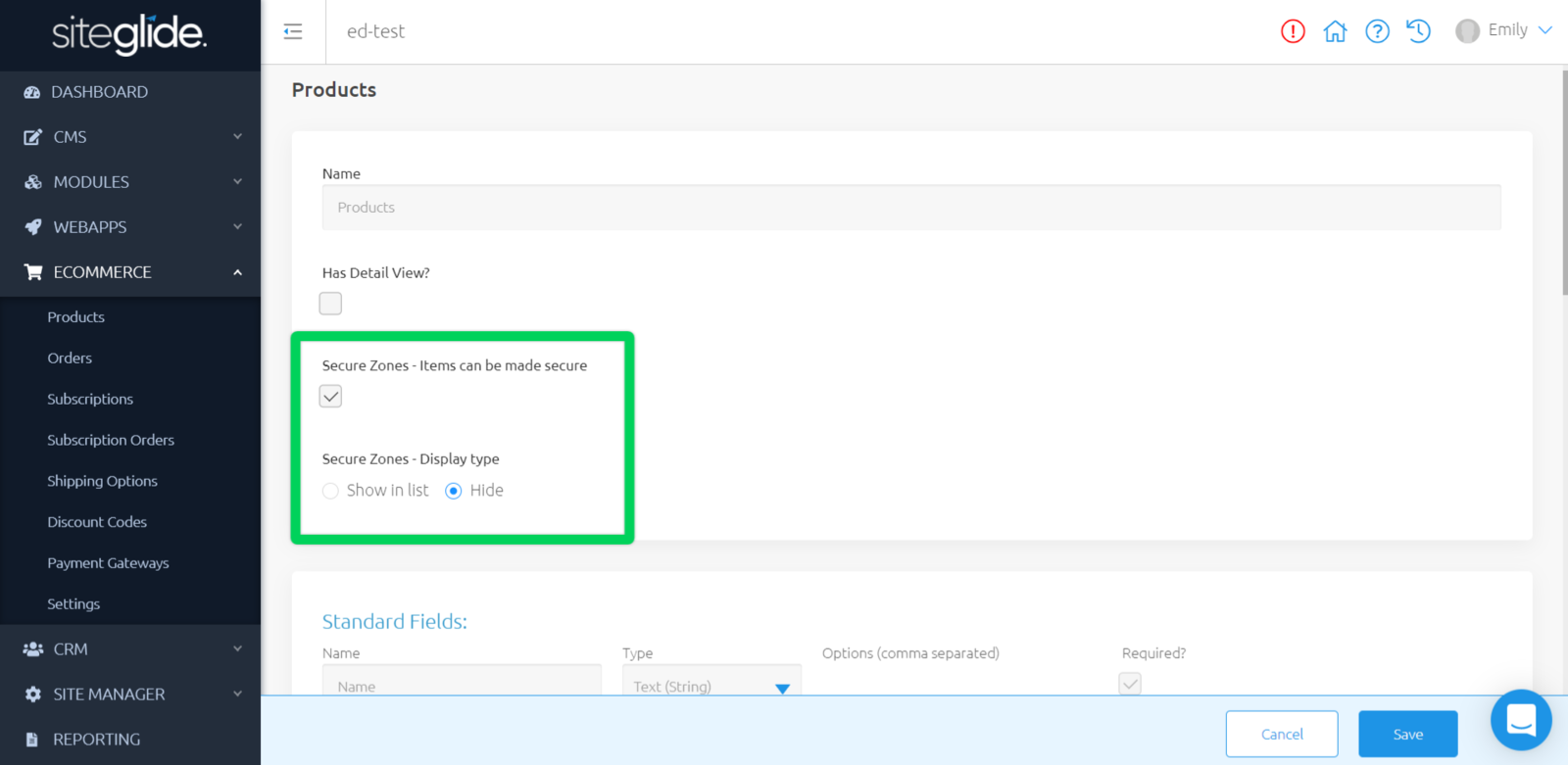
Whilst editing your Products Module Structure, you can choose to secure items within this Module.
- Show in list - show these items in the list view and hiding the detail view behind a 401 page
- Hide - hide these items in the list view and hiding the detail view behind a 404 page.
Securing Individual Items
Whilst editing a Product, head to the "Secure Zones" tab.
Here, you can add an existing Secure Zone to this item; if you have no Secure Zones to choose from, you can find out how to create one here.
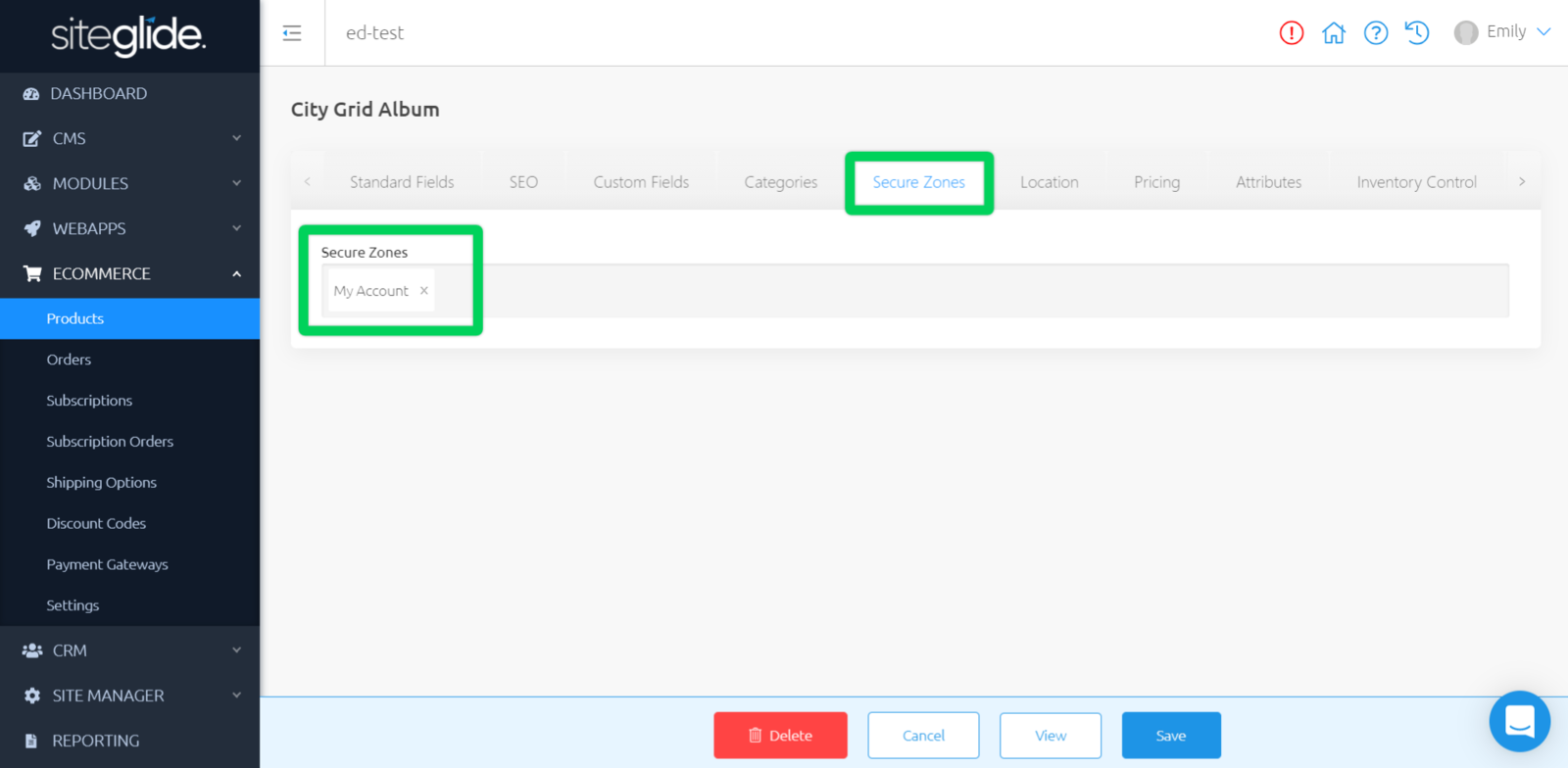
Once you have added Secure Zones, make sure to click save.
Was this helpful?
Still need help? Ask the team